Cabinet
UX Case Study · 2025
A personal herbal apothecary for hobbyists and budding clinicians
01 · Overview
A herb library,
remedy builder,
and daily practice tool.
The project
Cabinet is a website born out of a desire to practice herbalism simply and safely. Designed for beginners and hobbyists, it lets users catalogue their herb collection and build remedy recipes with safety guidance woven throughout.
My role
This was a personal project, so I handled all of the UX, IA, and visual design.
Tools
Figma · FigJam · Cursor • Claude
TIMELINE
Ongoing in 2026
02 · THE PROBLEM
I was always worried there was a
safety consideration I was missing.
When I started my herbalism journey, I couldn't find a resource that would help me keep track of the herbs I was exploring safely. So much of herbalism is about making remedies at home, but dosage varies greatly depending on the form of the herb being used.
There's also an enormous amount of variety: where you source the herb, how you prepare it, what you combine it with, what other herbs or medications you’re taking. I found myself building a complex Google sheet to cobble together notes from websites, books, and other apps because I couldn’t find a tool that was both personalizable, trustworthy, and beautiful.
03 · Target User
Josie.
Josie
31 · Los Angeles
Yoga practitioner
Farmers market regular
Herb garden
Growing tincture collection
Casual hobbyist
Frustration
Googles constantly, worries about mixing herbs incorrectly. Information is scattered across bookmarks, notes apps, and paper journals and needs manual organization.
Goal
One trustworthy, beautiful place to organize her herb collection, track what she’s taking, and continue her herbalism education without distraction.
CONTEXT
Not an expert. She reads, experiments, and wants to learn at her own space. She’s not ready for a more formal program just yet.
NEEDS
A tool that uses plain language, clear safety guidance, and a visual experience that reflects the beauty she finds in the practice itself.
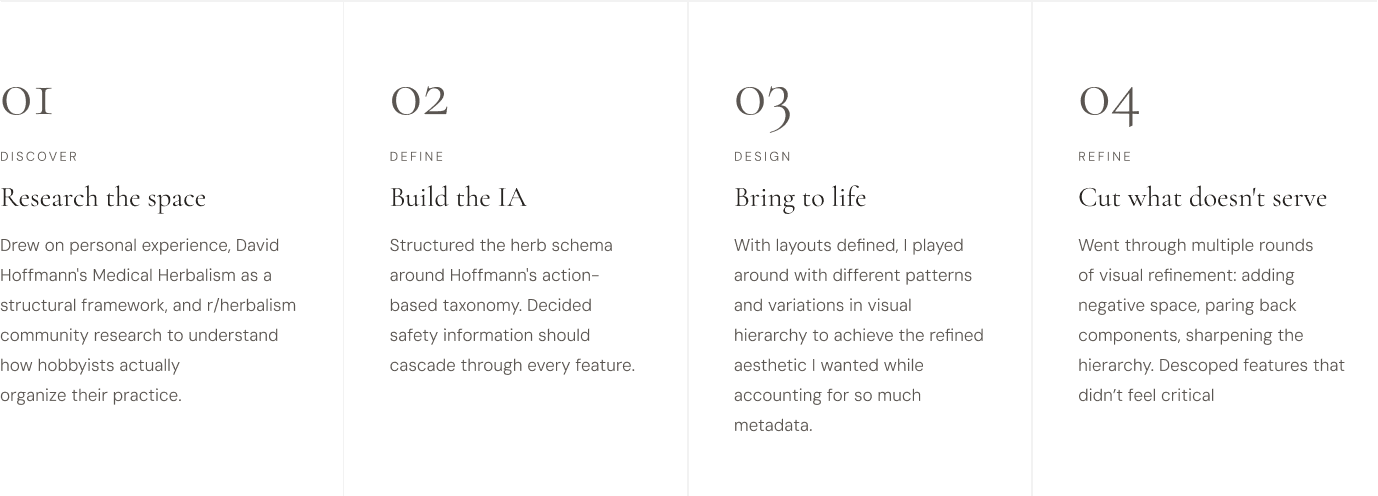
04 · Design Process
Focusing on what matters most.
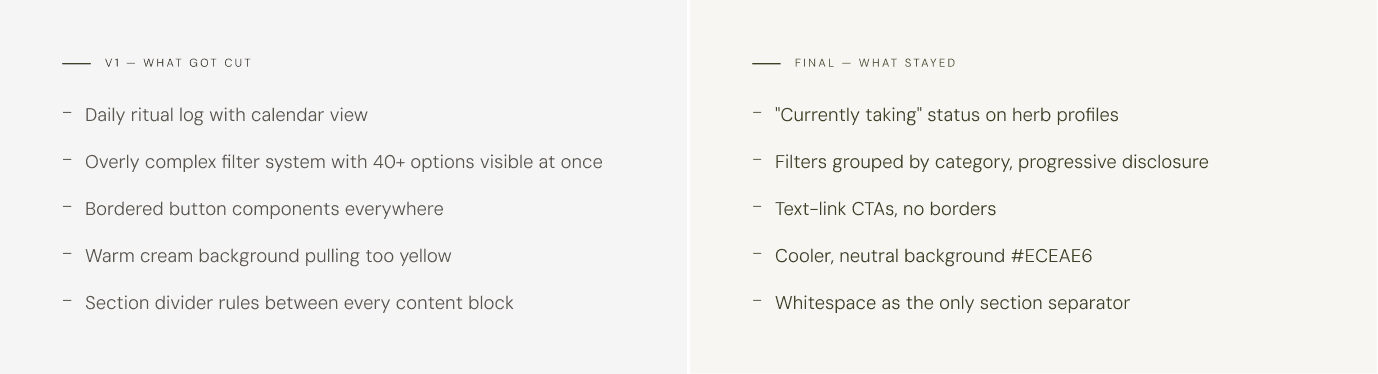
Early sketches tried to account for every variable. Too many filters, too many features, a daily log that I knew I wouldn’t actually use. The process involved a lot of paring down and prioritization.
05 • Information architecture
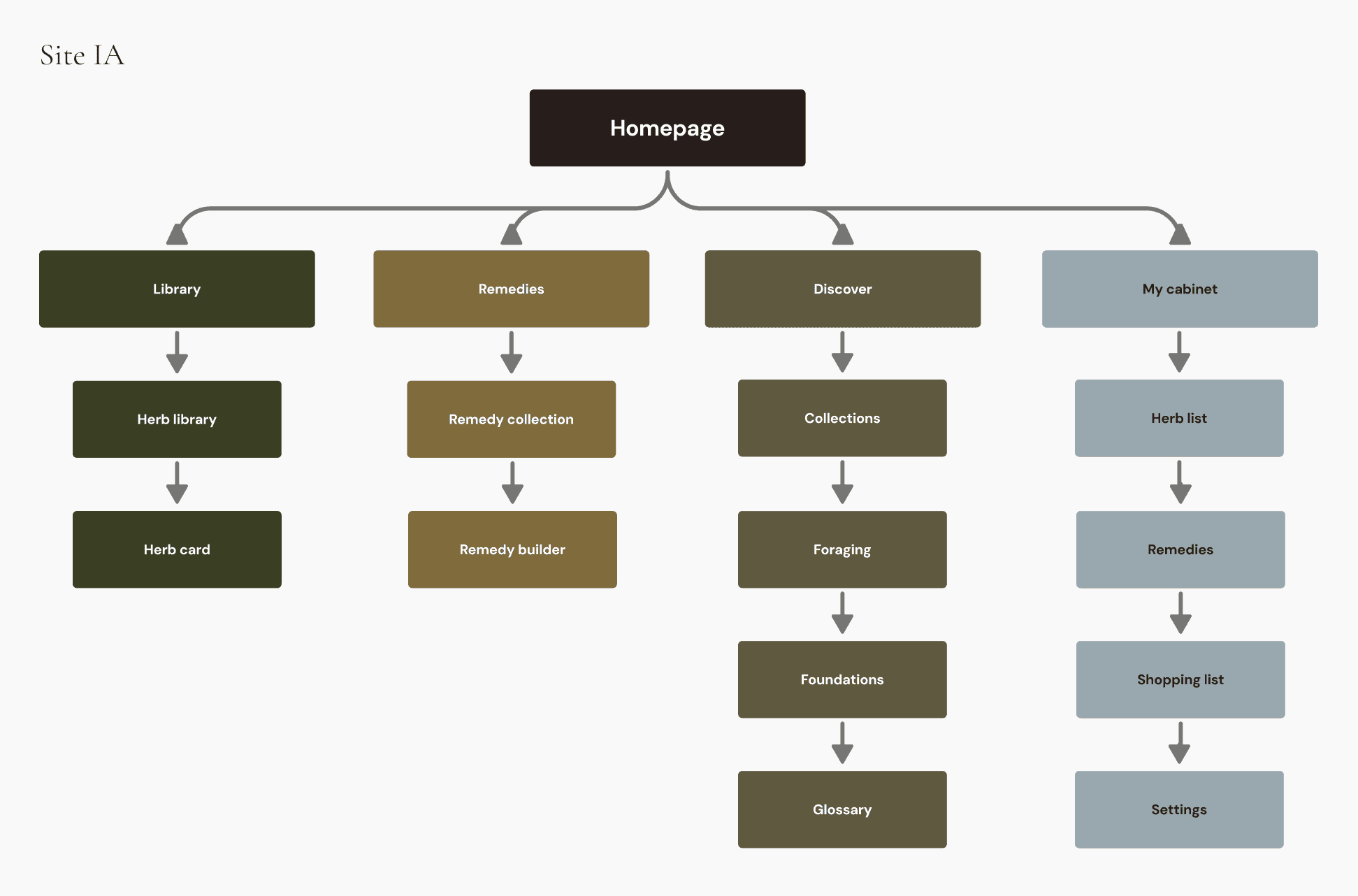
An interconnected system
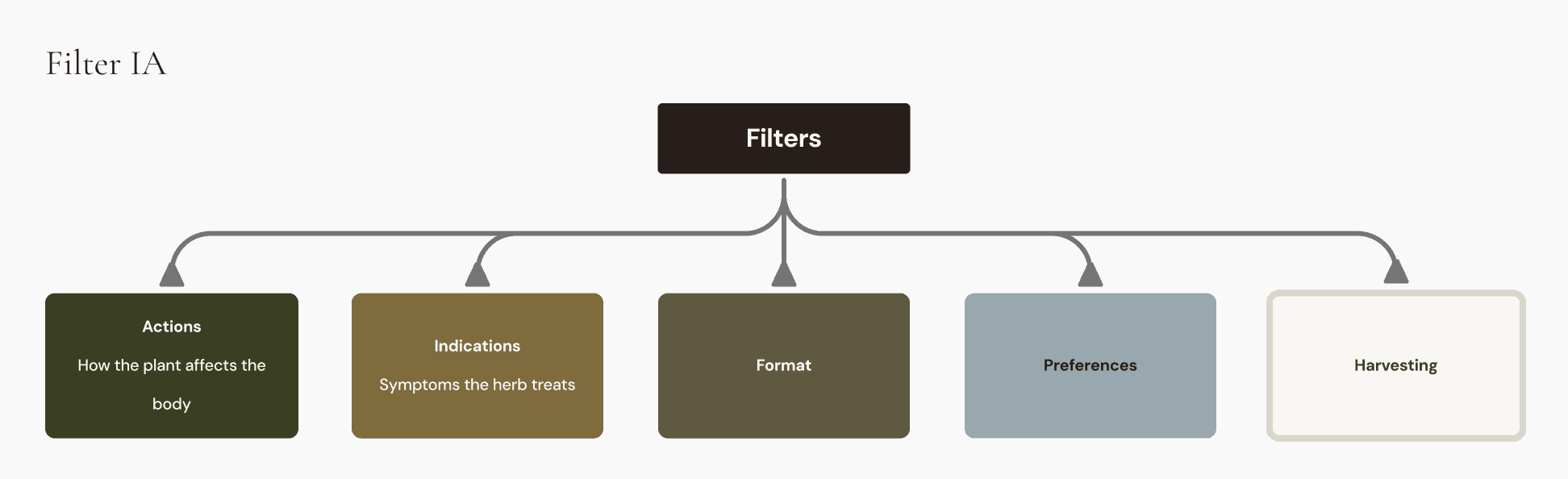
The structure follows a user's natural herbalism workflow: discover herbs, build a collection, make remedies, learn more. Each section has a distinct job and is designed to flow into other sections.
Herb Profile Schema
Every herb.
Same structure.
Data structure informed by David Hoffmann's Medical Herbalism.
Common name
Also Latin name
Actions
With plain-language synonyms
Indications
Plain language, clinical stored
Safety considerations
Appears in Library and Remedy builder
Taxonomy & plant family
Formats, parts used & dosage
Dosage varies by form
Seasons & growing notes
Zones included
Harvesting guidance
Safe to forage flag
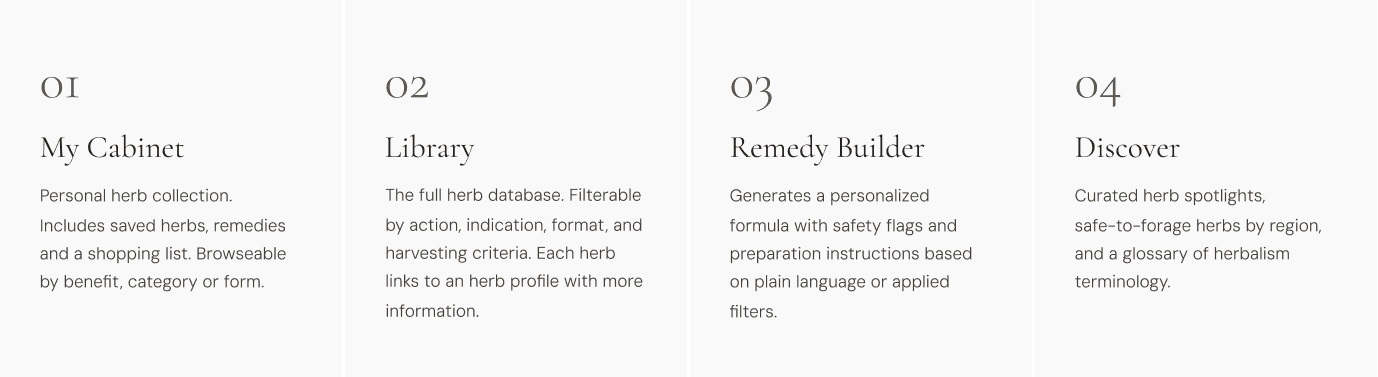
Personal herb collection. Includes
saved herbs, remedies and a shopping list. Browseable by benefit, category or form.
Generates a personalized
formula with safety flags and
preparation instructions based on plain language or applied filters.
Curated herb spotlights,
safe-to-forage herbs by region,
and a glossary of herbalism
terminology.
06 · Key Design Decisions
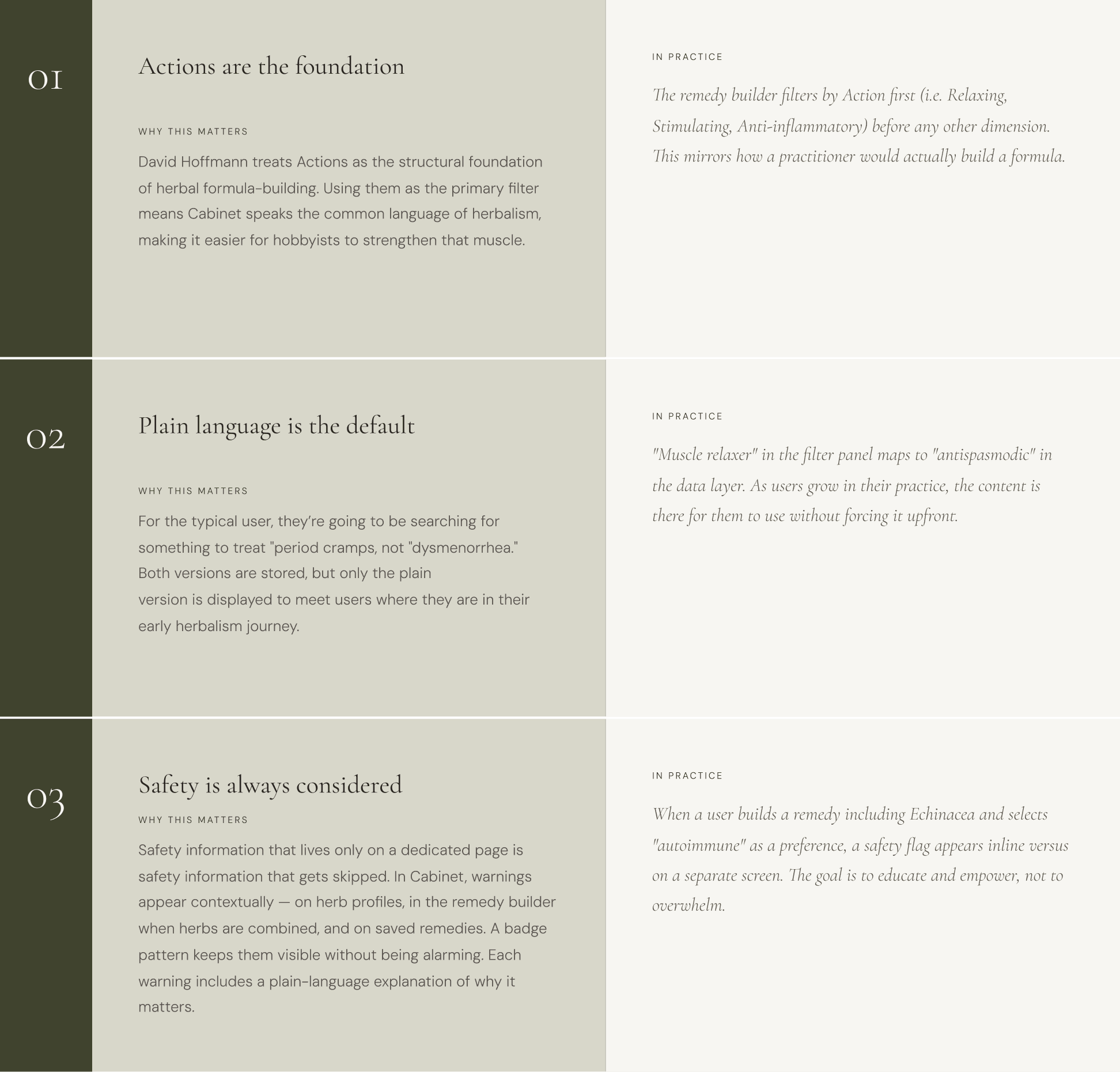
Three key design decisions
07 · Visual Design
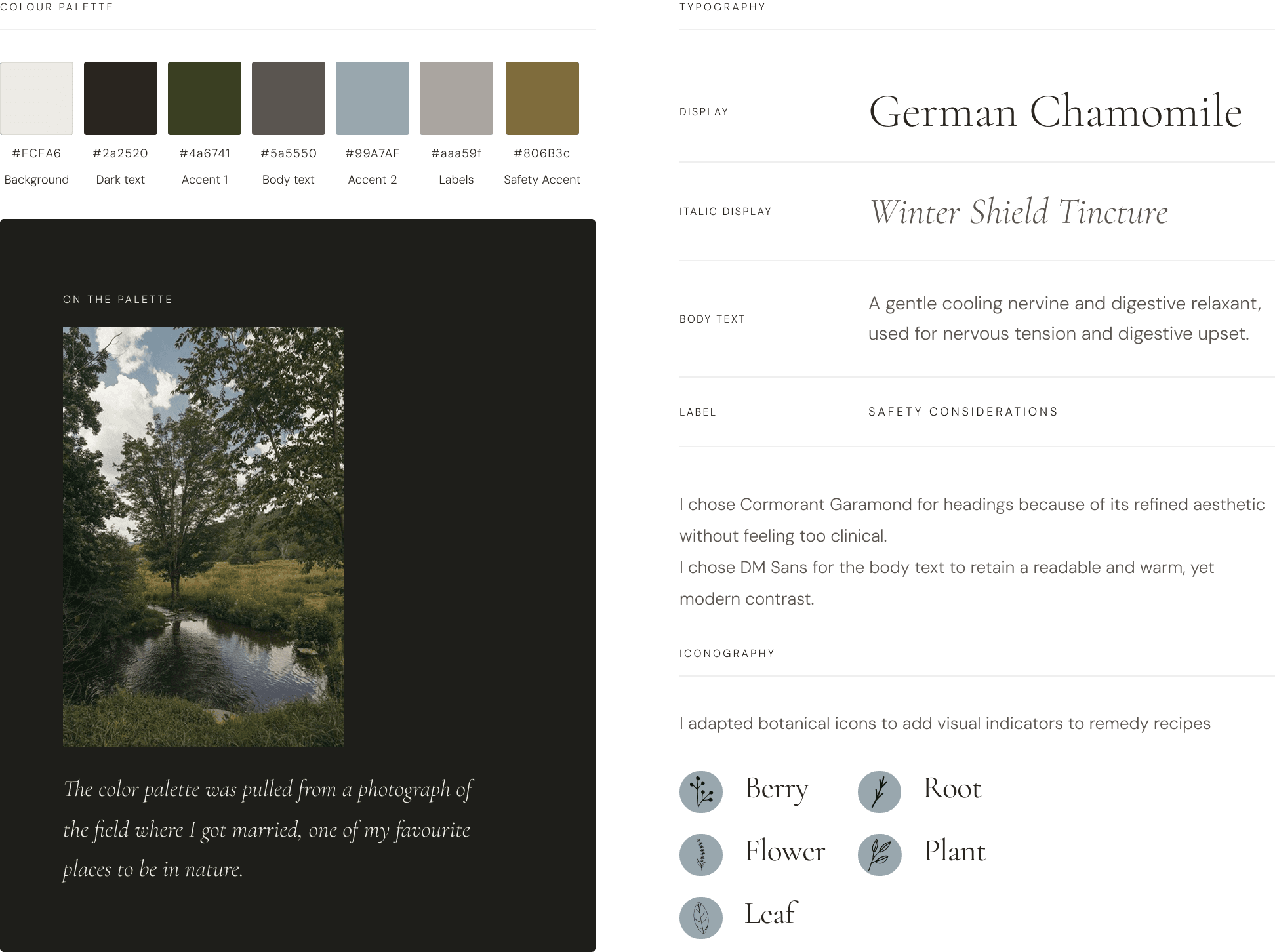
Design system
08 · Key Design Decisions
Design evolution
09 FINAL UI
The outcome
HERB PROFILE
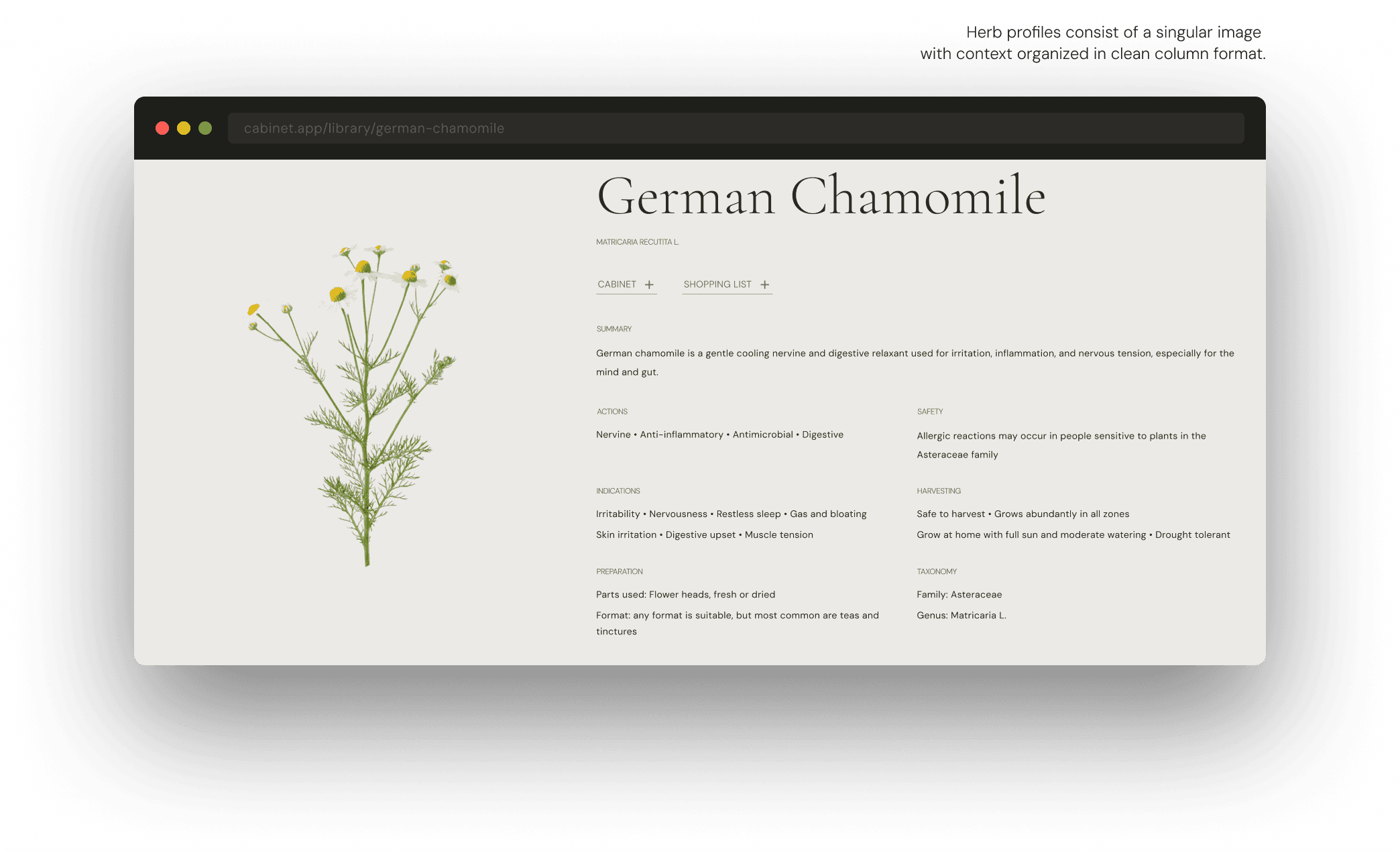
Full-bleed video hero. Herb name as display type. Content organised in the two-column data grid.
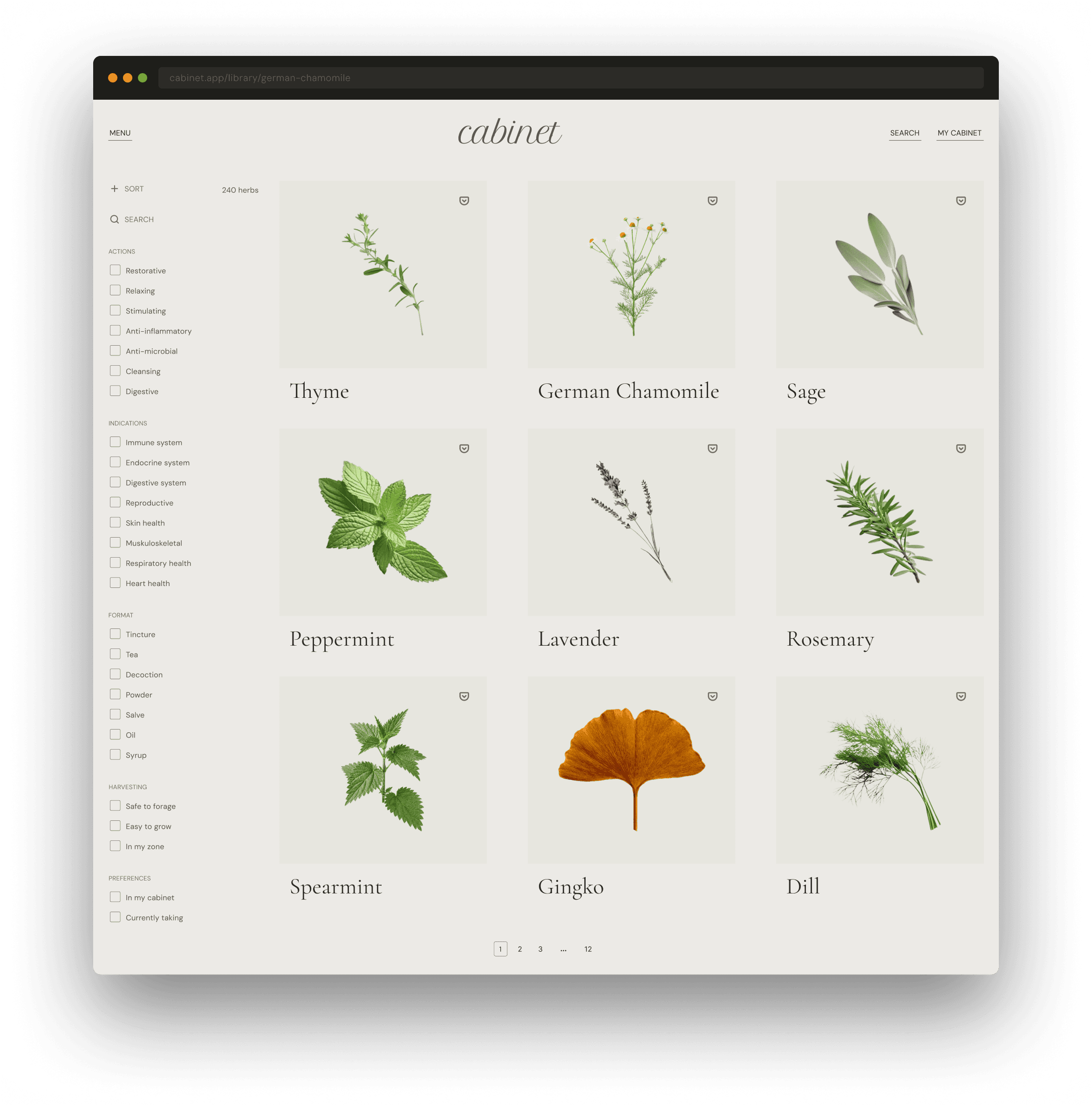
LIBRARY
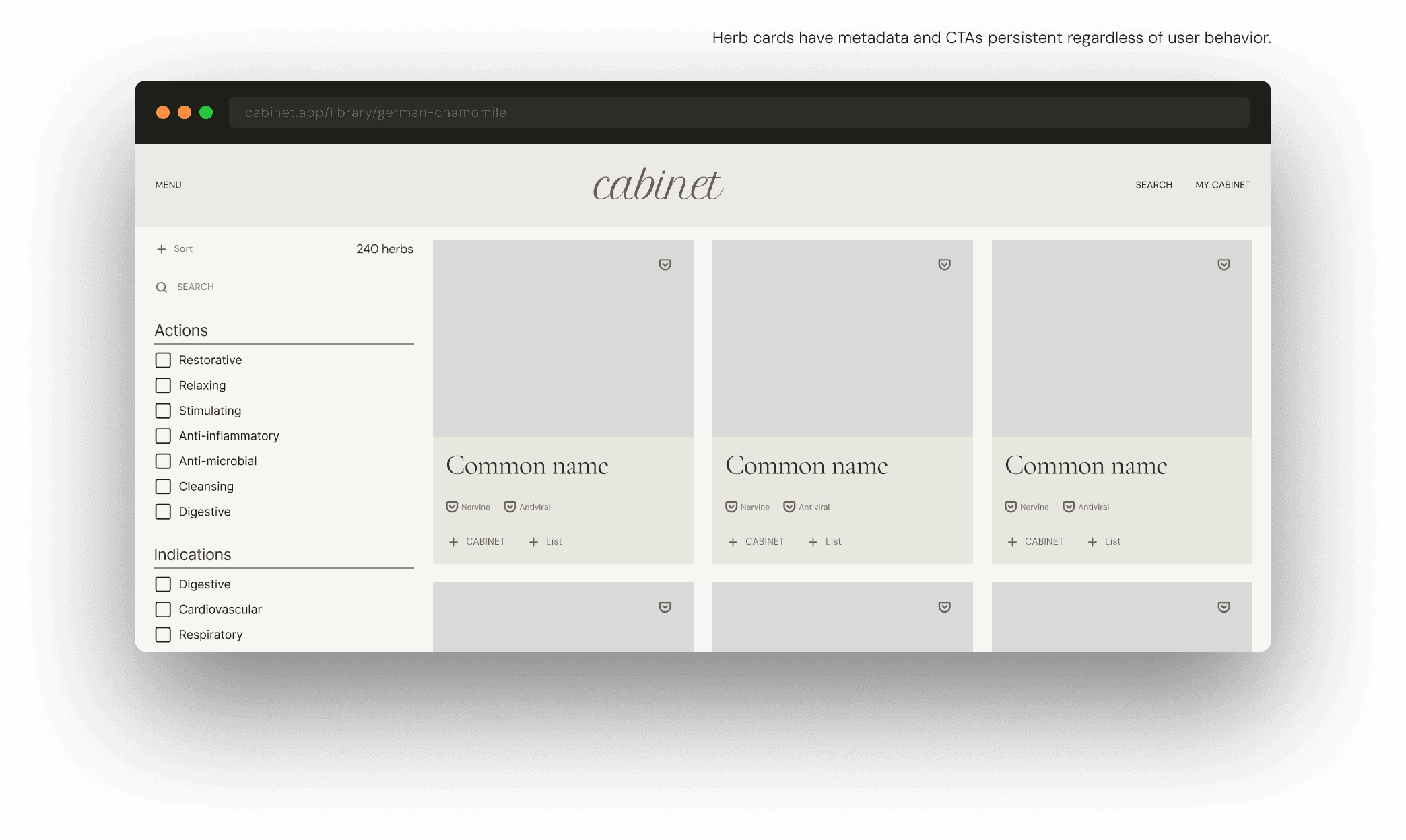
Filter by action, indication, format, or harvesting. 240+ herbs. Cards show key snapshot data.
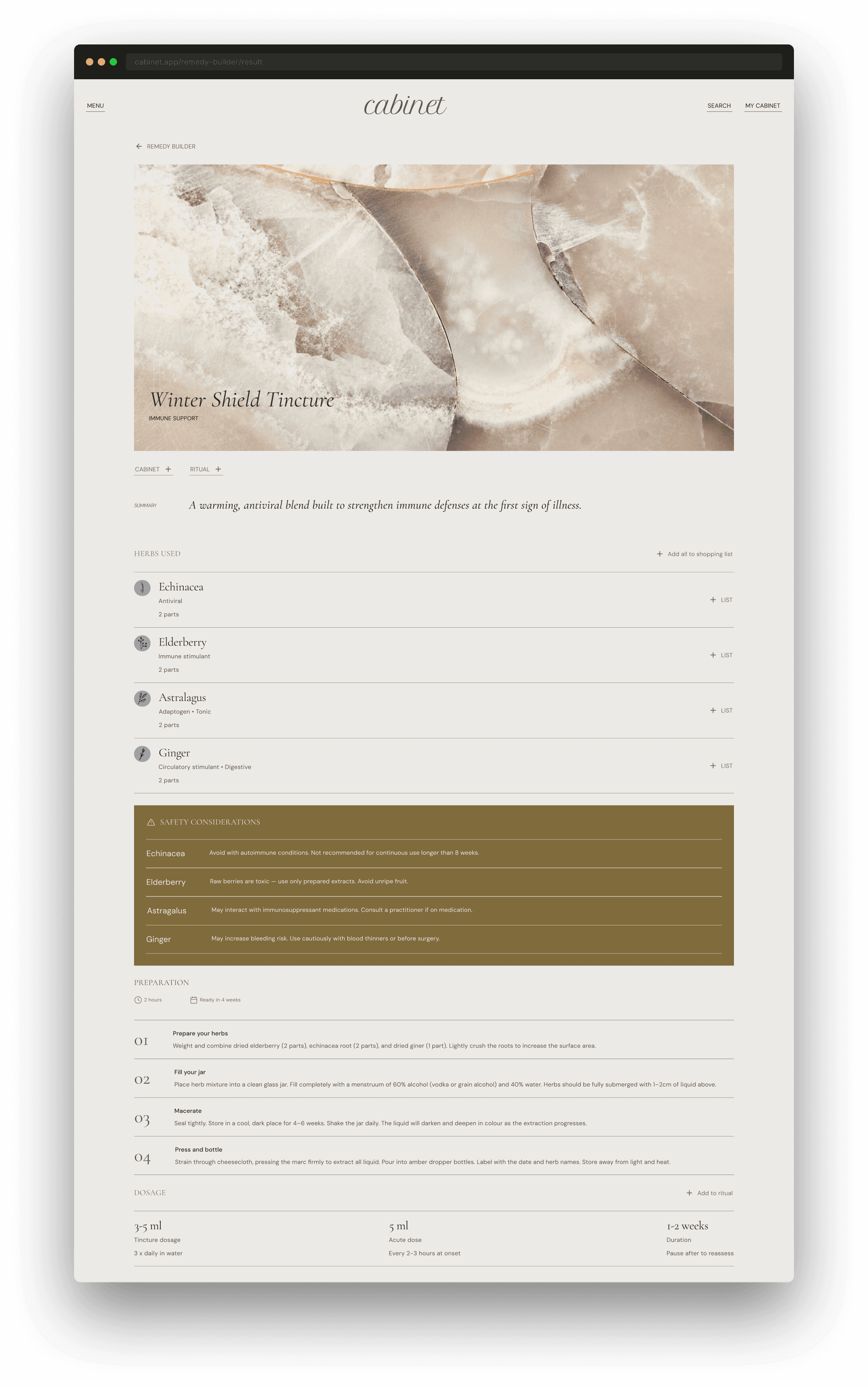
REMEDY BUILDER OUTPUT
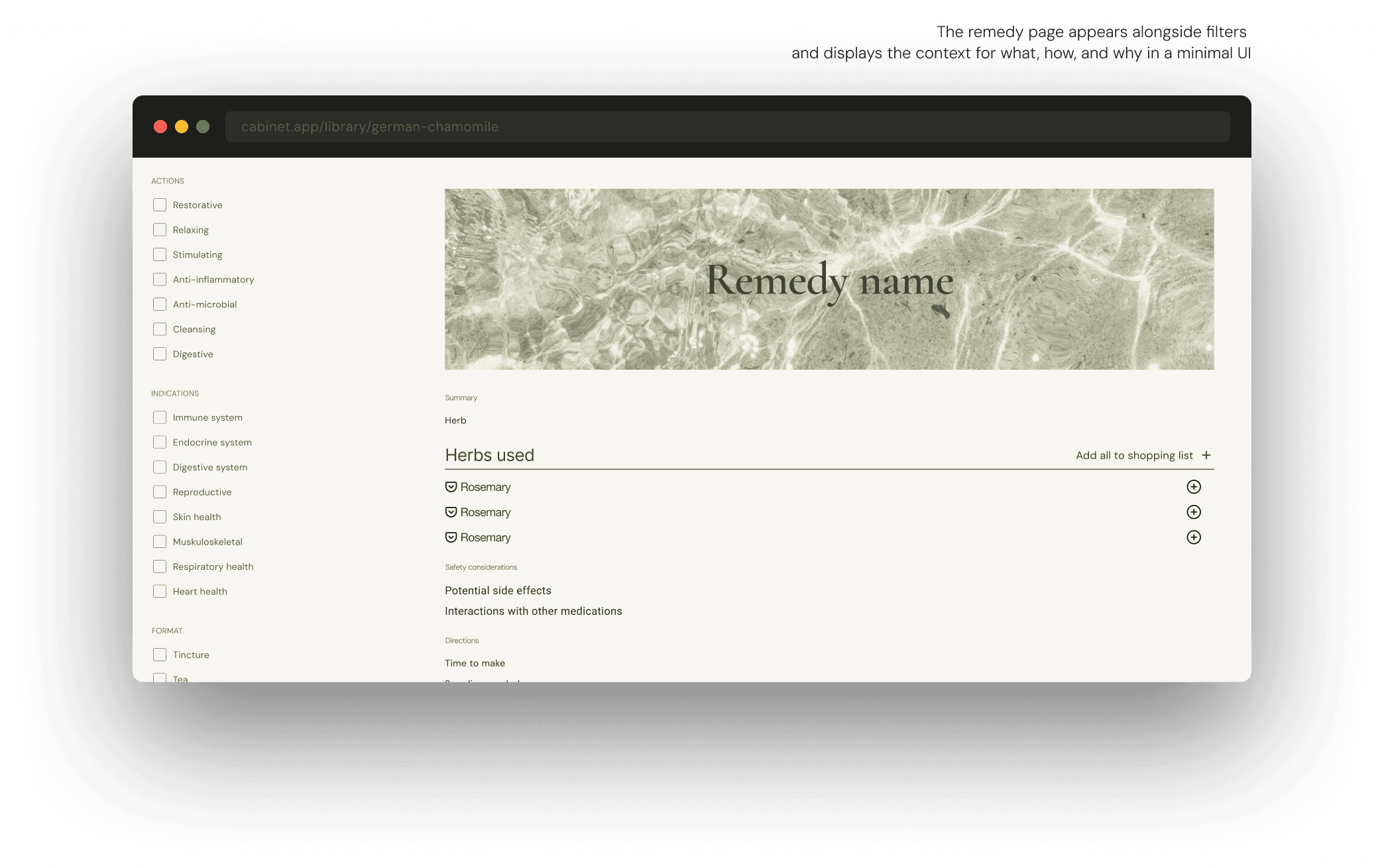
Generated formula with herb list, safety callout,
numbered directions, and dosage cards.
10 Looking AHEAD
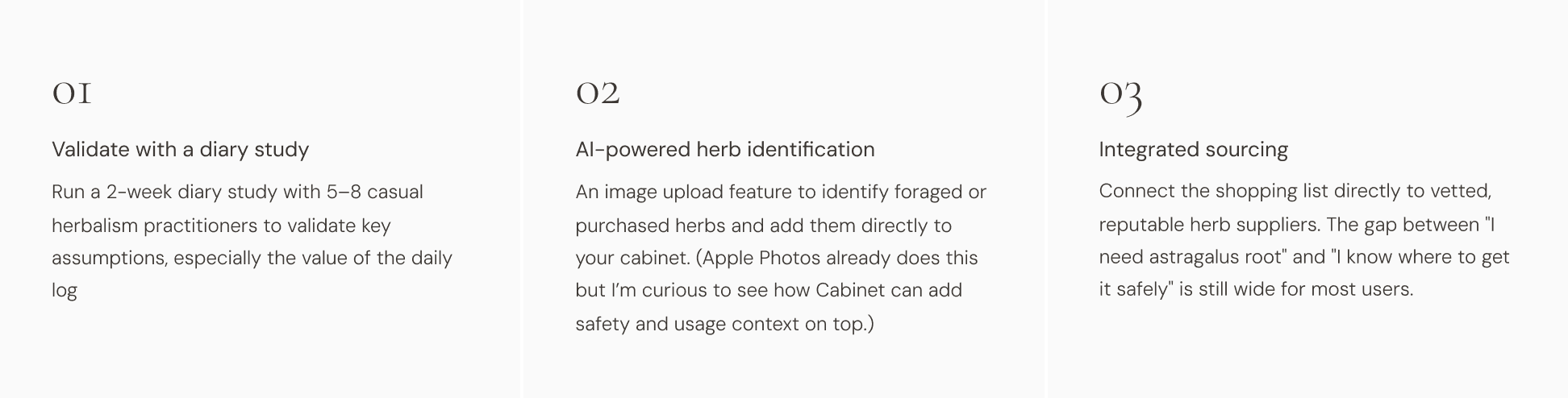
Up next